
Matching shapes
Between two slides, excalideck pairs up the shapes that are “the same”, and animates the difference: matched shapes move, resize and recolour, the rest leave or arrive. You never link shapes by hand. It goes by what they say.
| Element | Matched across slides by |
|---|---|
| Box, ellipse or diamond with text | its label, ignoring case and spacing, even if the shape type changes |
| Standalone text | identical text |
| Arrow | the labels at both ends. If only one end matches, it re-attaches: User → Shop becomes User → API |
| Extra copies of a label | they clone out of the nearest original |
| Unlabelled shape | the same type, in the same place |
So the rule to design for is short: to keep something on screen, keep its label identical. To make something new, give it a new label. Renaming “Orders” to “Order Service” makes one box fade out and another fade in. That’s right when you mean it, and surprising when you don’t.
Drill-downs: a box that becomes a region
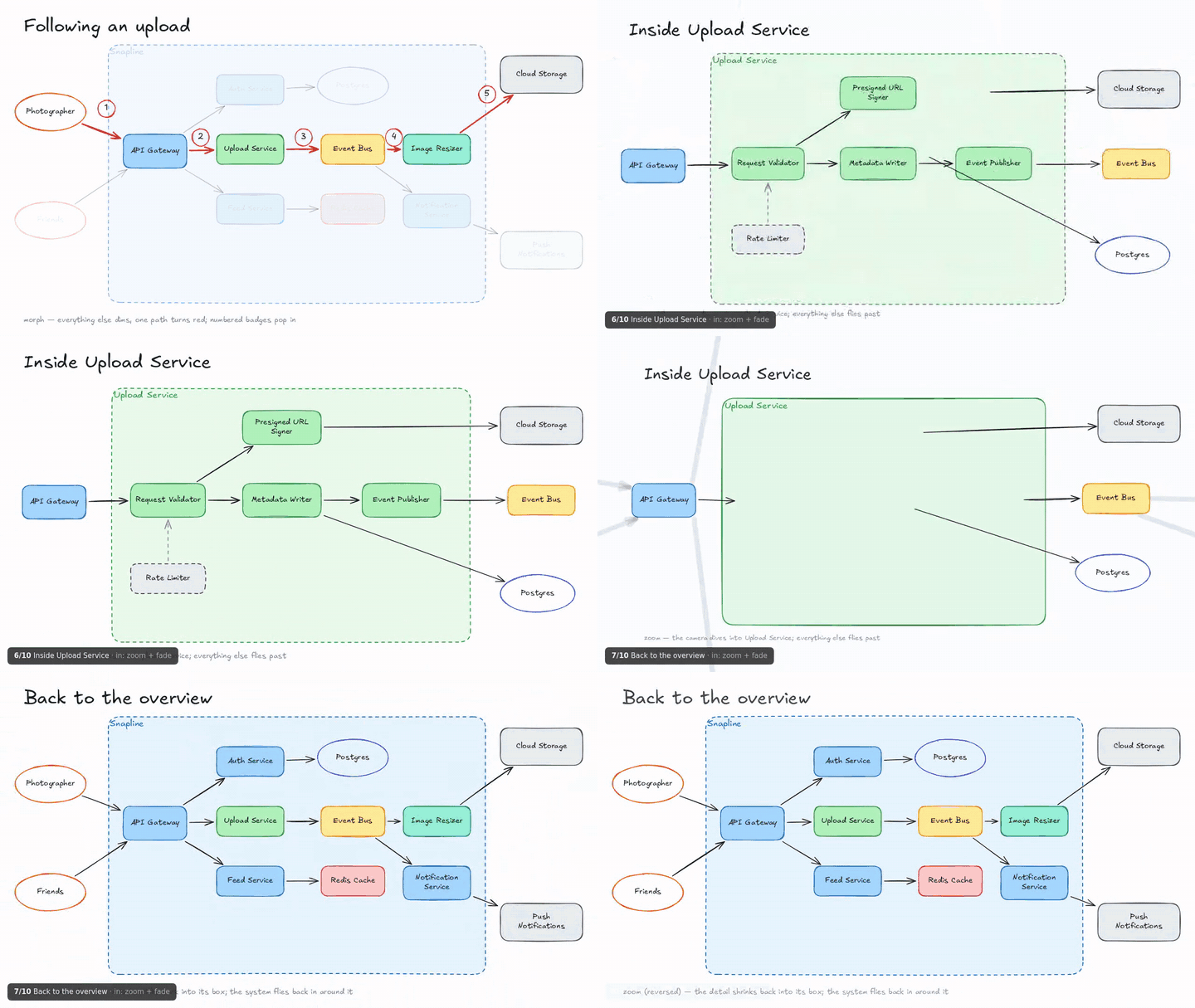
Section titled “Drill-downs: a box that becomes a region”A region is a dashed box with its label in the corner, holding other shapes. A box whose label matches a region on the next slide grows into it: that’s the drill-down. Shapes that are on both slides, like a neighbouring “API Gateway”, stay and move to the region’s edges, and arrows that pointed at the box re-attach to the parts inside.
Coming back out is the same thing in reverse: go to a slide where it’s a box again.
Seeing what matched
Section titled “Seeing what matched”You don’t have to guess. excalideck check lists, for every transition, what morphs, clones, re-attaches, enters and
exits:
2 → 3 zoom + pop: Inside → zoom anchors on rectangle "Our System" → rectangle "Our System" (diving in) morphs (3): ellipse "User": moves 100px; rectangle "Our System": moves 71px, grows ×11.5, recolours; ... re-attaches (2): arrow "our system" → "payment provider" ⟶ arrow "api" → "payment provider"; ... enters (6): text "Inside"; rectangle "Web Frontend"; rectangle "API"; ellipse "Database"; ... exits (1): text "Overview"The player and the checker share the same matching code, so the report is exactly what the player will do. The layout checker explains the rest of the report.
Things that don’t morph
Section titled “Things that don’t morph”- A shape whose type changes (a rectangle that becomes an ellipse) still matches, but cross-fades from one to the other rather than morphing.
- A label whose text changes, or that wraps differently on the two slides, cross-fades too.